 orecast
Until now, ORECAST has been a quiet tool: open the map, see what lies beneath a spot, log your own find, done. What was missing is the thing collectors have always done when they cross paths: talking about finds. That changes now. We call it find talk.
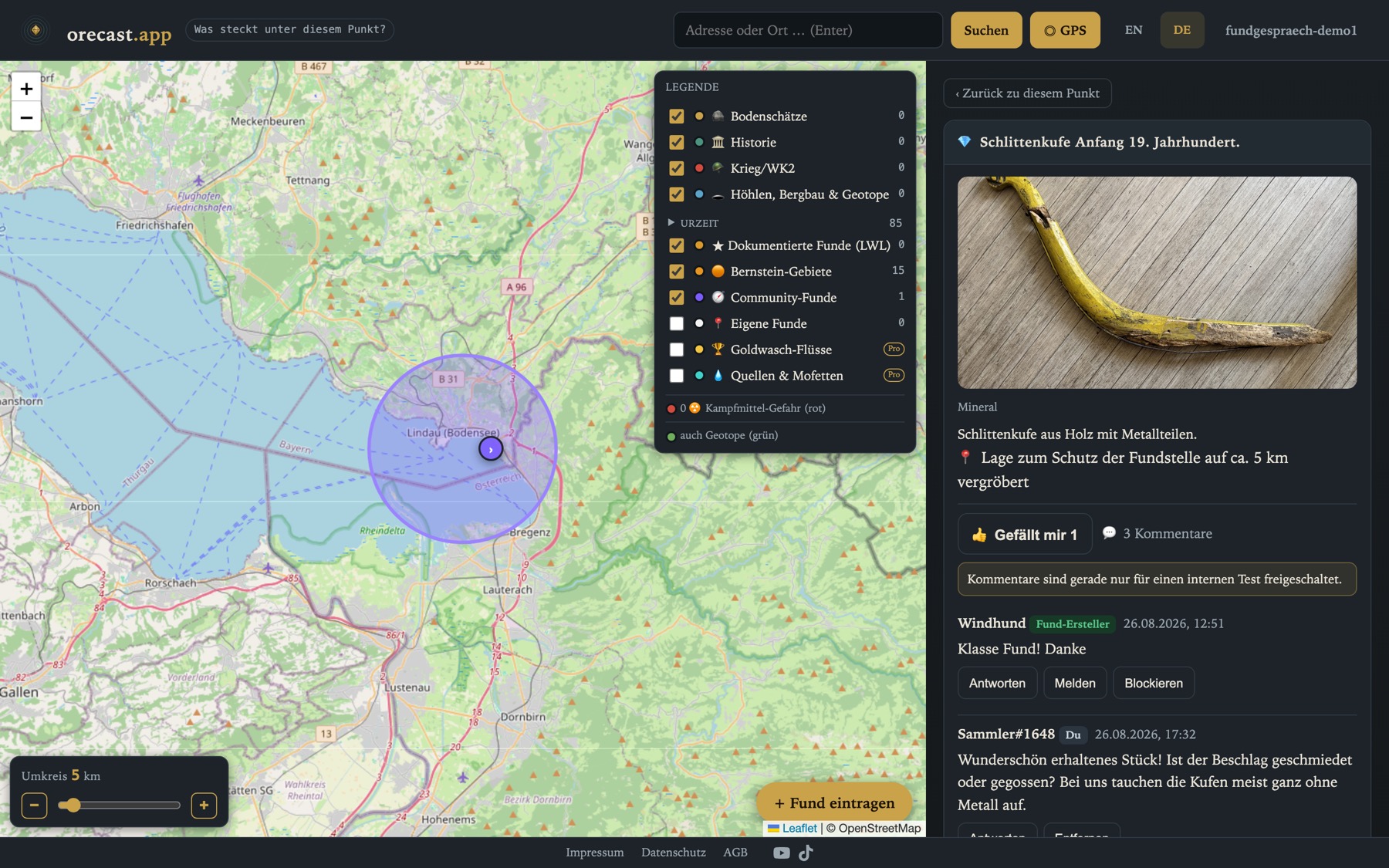
What is new
Every publicly shared find gets a like button and a conversation thread: comment, reply to comments, done. This is deliberately one level, not a forum. Everyone writes under a collector name of their own choosing; e-mail addresses never appear. And because a conversation is only as good as its tone, reporting and blocking are built in from day one, not as fine print, but as a button right on the comment.
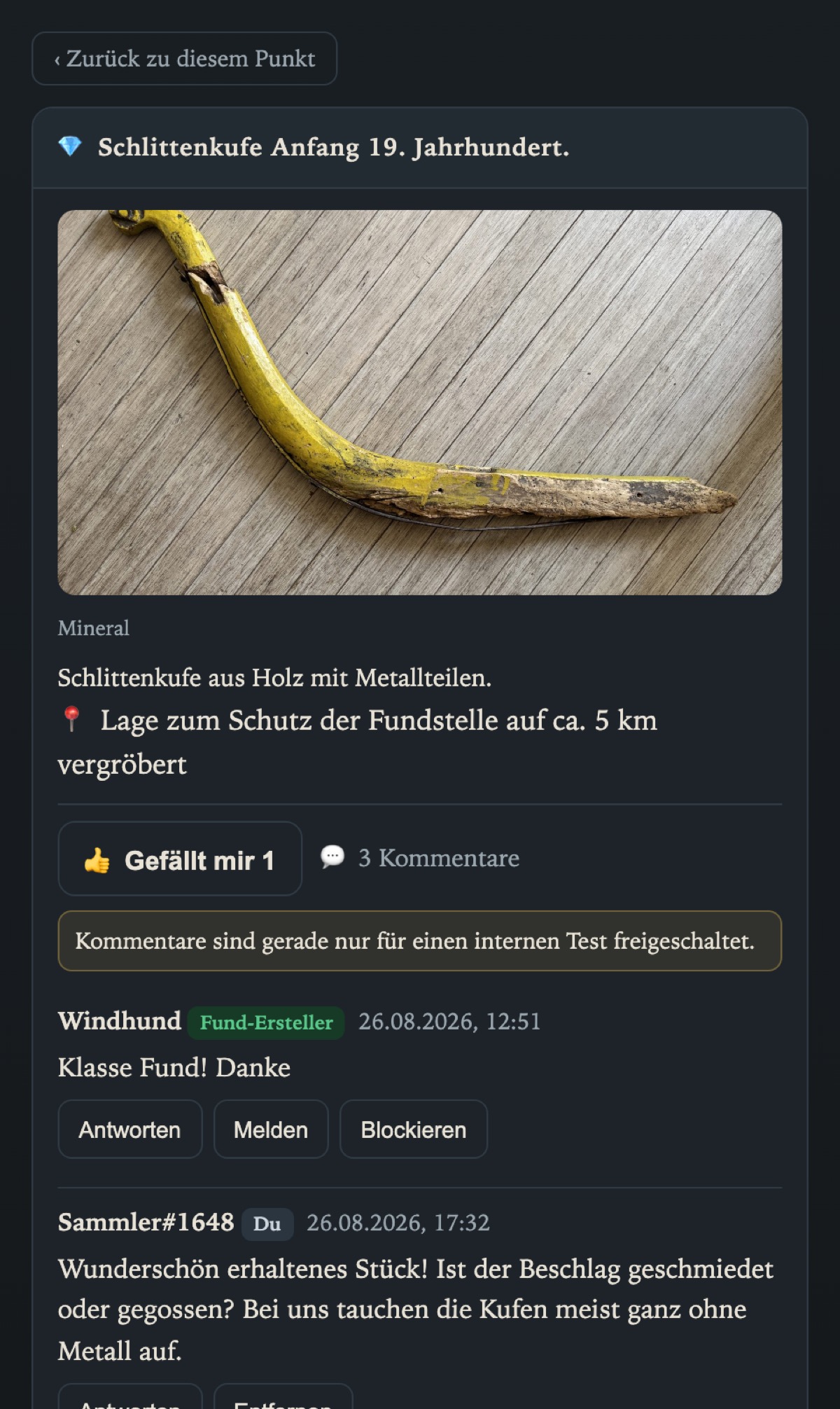
Likes are already live on the web map. Comments will be switched on gradually over the coming days, alongside app update 1.0.6, which is currently in review with Apple. So do not be surprised if your neighbour can already see the conversation and you cannot yet. That is by design, not a bug.
The rule that matters most: the find spot stays secret
Anyone publishing a find on ORECAST shows it to the world at roughly five kilometres' accuracy. That has been our promise from the start, and a comment box would have been the easiest way to break it. "It's by the old spoil heap behind the car park" is, within a five-kilometre cell, a set of directions.
That is why every comment is checked before publication, in two stages: a technical filter intercepts coordinates in any notation, whether decimal degrees, grid references, plus codes or what3words, even spread across several comments, and it allows no links at all. Then an AI looks at what pattern matching cannot catch: descriptions that name a single object and are therefore metre-precise. Anything held back is reviewed by a human. Unremarkable comments appear immediately; nobody waits for an editor.
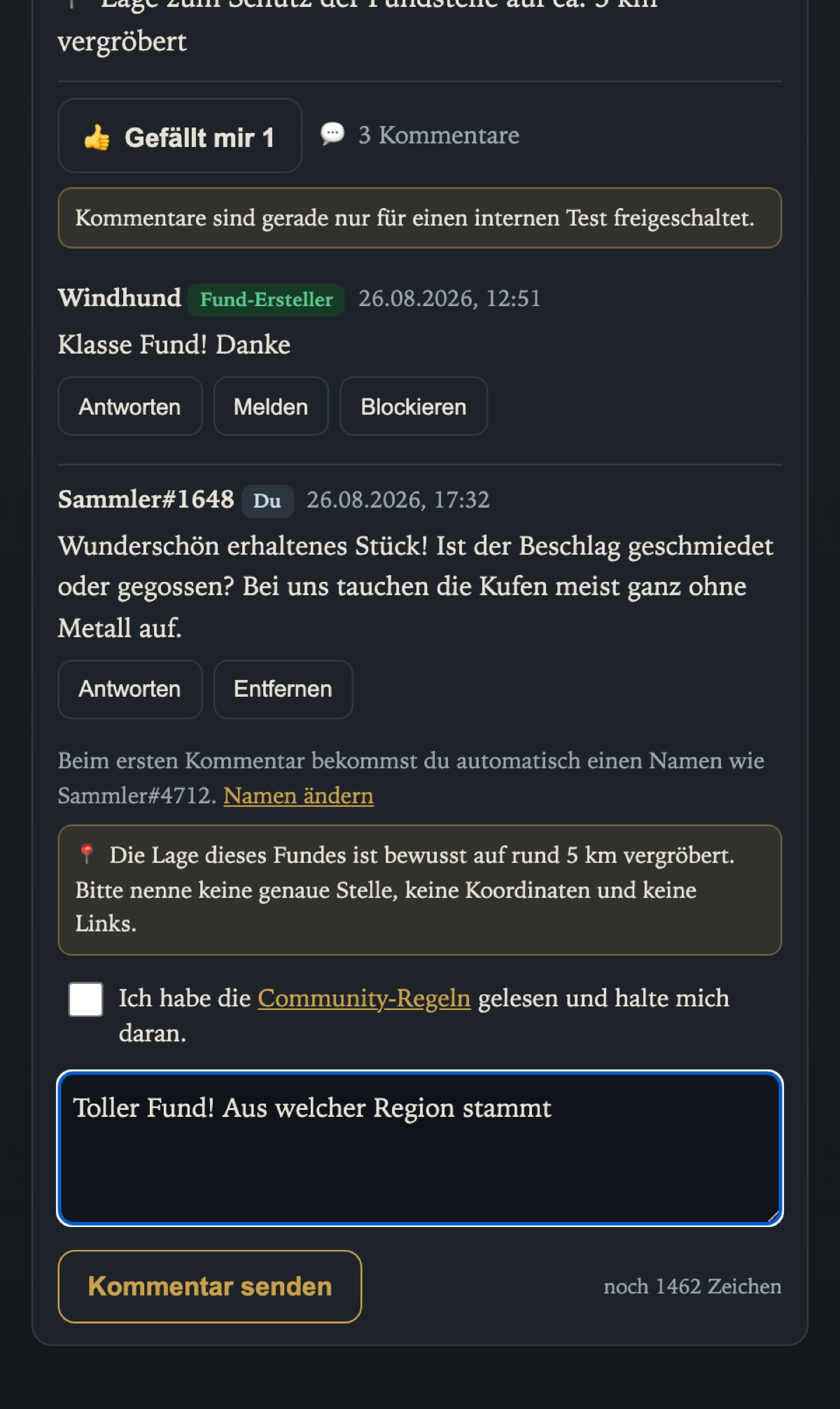
And yes: these rules also apply to the finder commenting under their own find. The blurring that protects you cannot be undone by accident.
Log a find from the sofa
Until now the find form took its position from GPS. That is fine when you are standing at the find, but useless when you want to log it at home in the evening. Now you can pick the spot on the map: open the form, choose "pick the spot on the map", move the map, confirm. On the web this works today; in the app it arrives with the update. The new golden button at the bottom right of the map takes you straight there.
And for the history-minded: the War/WWII layer
Bunkers, emplacements and war sites now have their own toggleable layer in the legend. Previously, castles and excavations drowned among thousands of bunkers in city views. As always: red dots mean suspected unexploded ordnance. Look, never touch, and when in doubt call 112.
Werner has already tested find talk, by the way, and insists that his collector name not be revealed. We respect that.